
Patient Portal
Your prescriptions and records are yours to look at any time. Log in to the patient portal to view them yourself - no need to call the office or wait for a reply.
What is in the portal
- Your glasses and contact lens prescriptions - these are two separate documents.
- Your receipts and invoices.
- Your optical orders.
- Your past visits and visit notes.
- Live booking - see our real calendar and take a slot.
Your username is your email address.
Patient portal help
There are two reasons the first login can go wrong. Find the one that sounds like you.
If you have not used our records portal before
Access has to be switched on for your account, so you may not be able to log in yet - and there is nothing you can do about that from your end. Call or text us at 416-703-2797 and we will turn it on for you. Once it is on, you can get at your records yourself any time.
If you used our old portal
We have moved to a new one. Your records carry over - there is just a one-time step that links them to your new login.
- Use the patient portal button above to open the portal.
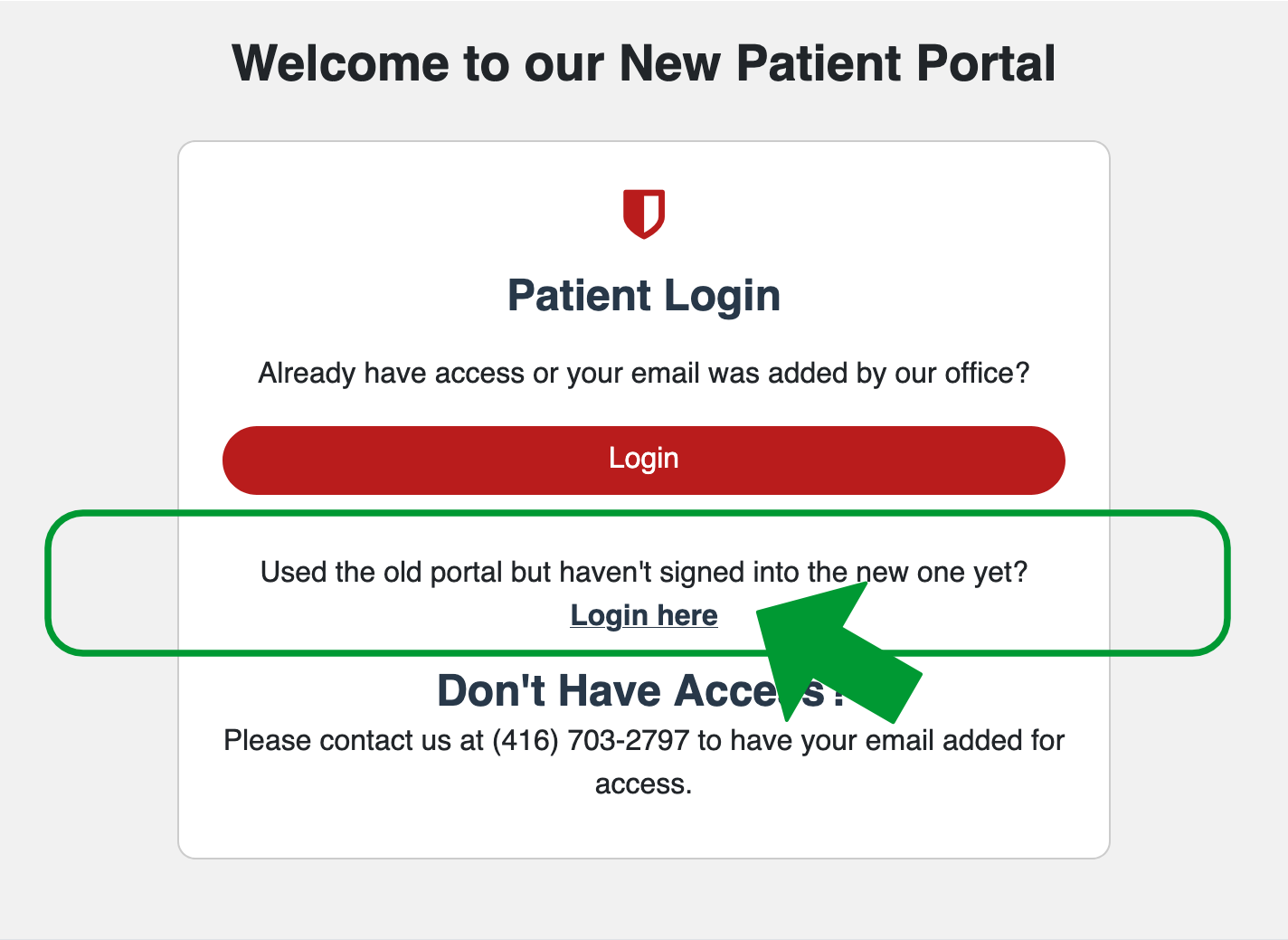
- On the welcome screen, find "Used the old portal but haven't signed into the new one yet?" and select Login here.
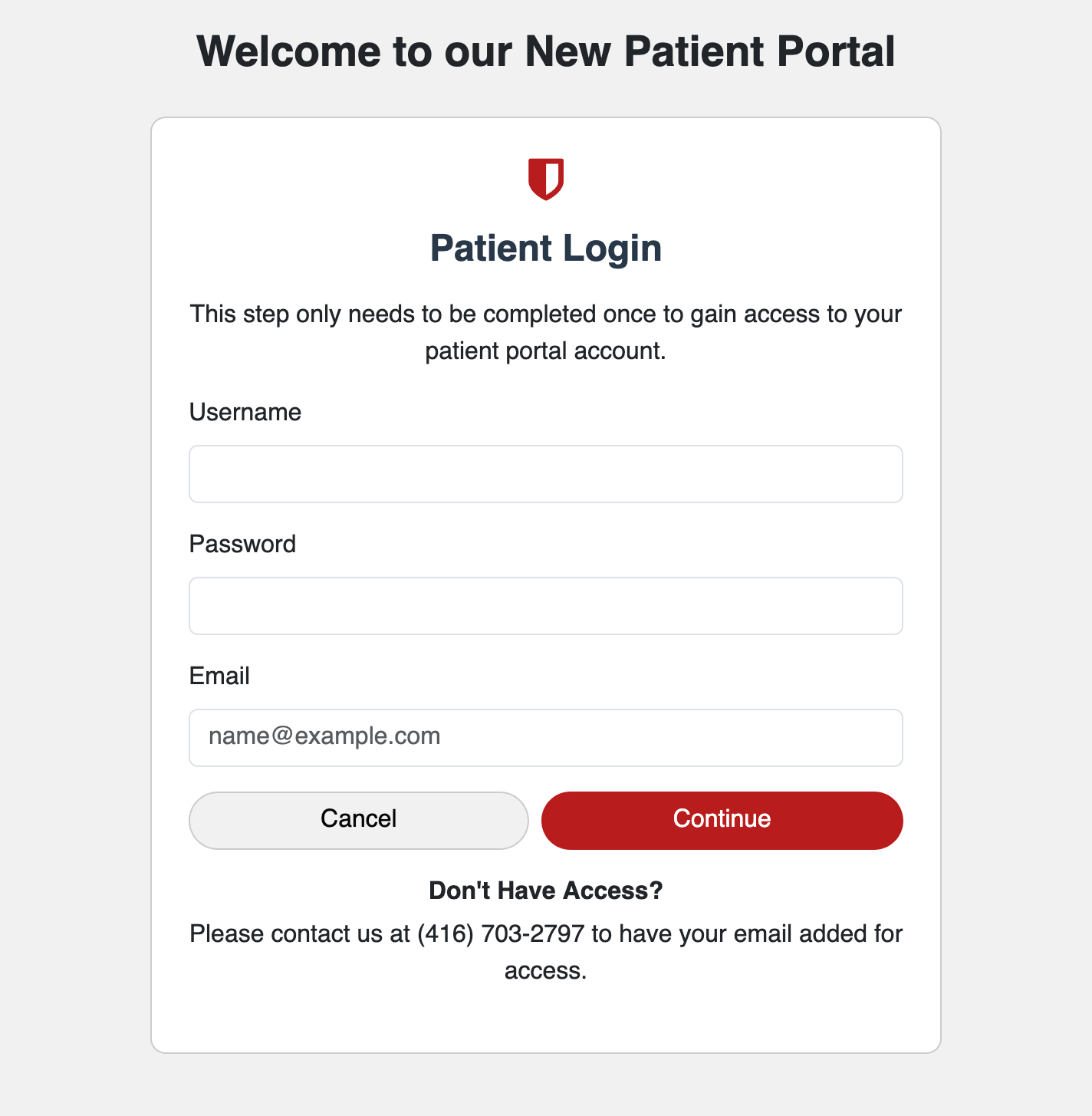
- Enter the username, password, and email from your old portal account. For most patients the username is the same as the email address.
- Select Continue. This one-time step links your records to the new portal. After that, you can use the main Login button each time.
Still stuck, can't find your old login, or not sure whether you have an account? Call or text us at 416-703-2797 and we will sort it out.
Looking to book instead? Book an eye exam - you can request a time without an account.
Looking for forms, insurance, or our cancellation policy? See information for patients, or how to get a copy of your prescription.